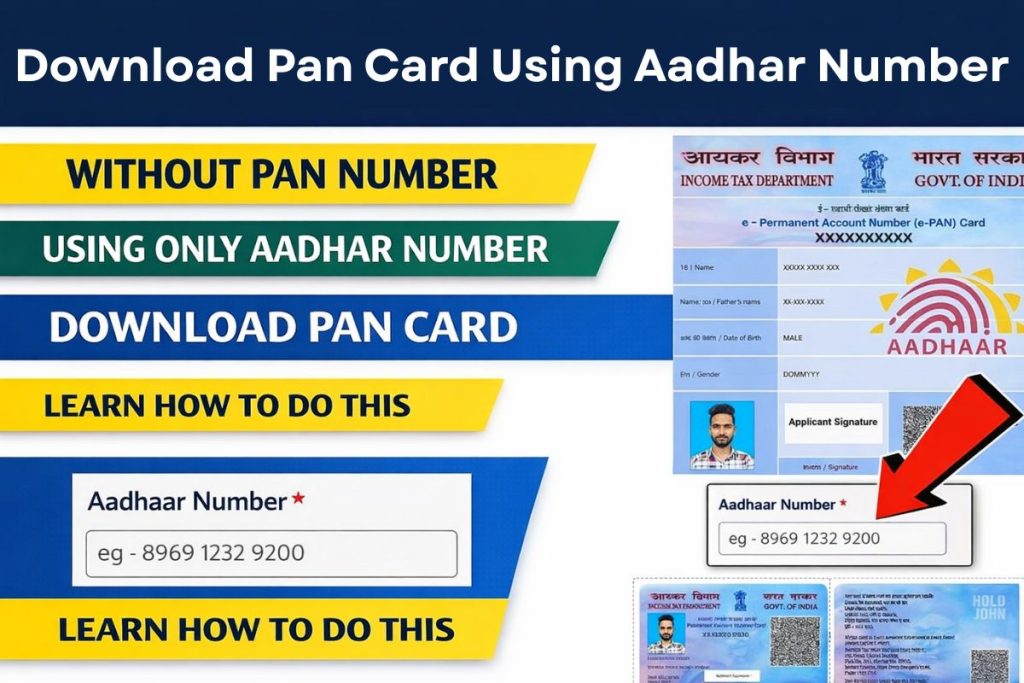
You can now download your PAN card online using only your Aadhaar number, without entering your PAN or visiting any office. The Instant e-PAN service on the Income Tax e-filing portal lets you do this in minutes—as long as your Aadhaar is active and linked to your mobile number for OTP verification.
This works in two simple situations. First, if you do not have a PAN, you can generate a brand-new instant e-PAN using Aadhaar e-KYC. Second, if you already generated an e-PAN earlier but forgot your PAN number or lost the physical card, you can still check the status and download the PAN PDF using only Aadhaar. The entire process is online, free, and paperless, which makes it especially useful when you need PAN urgently for banking, investments, or tax work.
How to Download Pan Card from Aadhar Number
- How Aadhaar-based Instant e-PAN works in 2025
- How to download PAN using only your Aadhaar number
- What to do if you don’t remember your PAN
- Latest rules and conditions you must follow
Aadhaar Based PAN Download Key Details
| Point | Details |
| Who can use it | Individual resident with valid Aadhaar and mobile number linked to Aadhaar |
| What you can do | Generate a new PAN instantly or download an existing instant e-PAN using only Aadhaar |
| Cost | Completely free |
| Time required | Usually a few minutes |
| Verification | OTP sent to Aadhaar-linked mobile |
| Official Website | https://www.incometax.gov.in/ |
How Can Get PAN Using Only Aadhaar?
Yes. You can generate a new PAN instantly using only your Aadhaar number through the Instant e-PAN facility provided by the Income Tax Department. Aadhaar e-KYC auto-fills your name, date of birth, gender, and address, so you don’t need to upload photos, signatures, or documents.
If you already generated an instant e-PAN earlier, you can also download that PAN using only Aadhaar, even if you don’t remember your PAN number. In both cases, OTP verification on your Aadhaar-linked mobile number is mandatory.
Download PAN Step-by-step: Using Aadhaar number
You may be in any one of these situations:
- You don’t have PAN and want to generate one instantly
- You forgot your PAN number but had generated instant e-PAN earlier
- You lost your physical PAN card and only remember Aadhaar
All these cases are handled through the same official portal.
Step 1: Visit the official Income Tax e-filing portal
Open the official portal in your browser:
https://www.incometax.gov.in
On the home page, go to Quick Links and click Instant e-PAN.
Step 2: Choose the correct option
On the Instant e-PAN page, you’ll see two options:
- Get New e-PAN – Use this if you do not have PAN
- Check Status/Download PAN – Use this if you already generated instant e-PAN and want to download it using Aadhaar
Choose the option that matches your situation.
Case 1: You don’t have PAN — generate new PAN using Aadhaar
If you never had a PAN before, you can create one instantly and free of cost.
Steps
- Click Get New e-PAN
- Enter your 12-digit Aadhaar number
- Give consent for Aadhaar e-KYC
- Enter the OTP received on your Aadhaar-linked mobile
- Submit the request
Your details are fetched from Aadhaar, and your e-PAN is allotted within minutes. You can then download it from Check Status/Download PAN.
This e-PAN is fully valid for:
- Bank accounts
- Investments
- Income tax filing
- KYC verification
Case 2: You forgot PAN number — download PAN using Aadhaar only
If you already generated instant e-PAN earlier but don’t remember your PAN number, you can still download it.
Steps
- Go to Instant e-PAN
- Click Check Status/Download PAN
- Enter your Aadhaar number
- Verify OTP sent to Aadhaar-linked mobile
- Click Download e-PAN
You don’t need to enter your PAN number anywhere. Aadhaar + OTP is enough.
Other ways to download PAN if Aadhaar-only method doesn’t apply
Sometimes your PAN was created through a different route and not via Instant e-PAN.
Using NSDL / Protean portal (acknowledgement number)
If you applied through NSDL (now Protean eGov Technologies), you can download e-PAN using:
- Acknowledgement number
- Date of birth
- OTP verification
A small fee may apply if free downloads are exhausted.
Using PAN + Aadhaar together
If you later find your PAN number, you can download e-PAN using PAN, date of birth, and Aadhaar details via NSDL or UTIITSL portals.
Important rules and conditions you must know
Eligibility for Aadhaar-based Instant e-PAN
You can use this facility if:
- You are an individual (not a firm/company)
- You have a valid Aadhaar issued by UIDAI
- Your Aadhaar is linked to an active mobile number
- You haven’t already been allotted PAN using the same Aadhaar
Aadhaar–PAN linking rule
PAN–Aadhaar linking is mandatory in most cases. PANs not linked with Aadhaar can become inoperative, affecting banking and tax transactions.
If you generate PAN through Instant e-PAN, it is automatically linked with Aadhaar.
Why Aadhaar-only PAN download is useful for you
- No paperwork – no uploads or forms
- Instant issuance – PAN generated in minutes
- Free service – no charges
- Anytime access – download PDF whenever needed
This makes Aadhaar-based e-PAN the easiest option when you need PAN urgently.
Tips to avoid problems
- Ensure your mobile number is updated in Aadhaar
- Check that your name and date of birth in Aadhaar are correct
- Save your e-PAN PDF in email/cloud for future use
- Apply for correction later if there’s any mismatch
If you have a valid Aadhaar and an active mobile number linked to it, you can easily generate or download your PAN card online without knowing your PAN number. The Instant e-PAN service on the Income Tax e-filing portal is free, fast, and paperless, making it one of the simplest digital services available today for PAN management.
FAQ’s
1. Can you download PAN card using only Aadhaar number?
Yes. If your PAN was allotted through Instant e-PAN, you can download it using only Aadhaar and OTP via the Income Tax e-filing portal.
2. Is there any fee for instant PAN through Aadhaar?
No. The Instant e-PAN service is completely free.
3. What if your mobile number is not linked to Aadhaar?
You won’t be able to receive OTP. First update your mobile number in Aadhaar or use NSDL/UTIITSL routes.